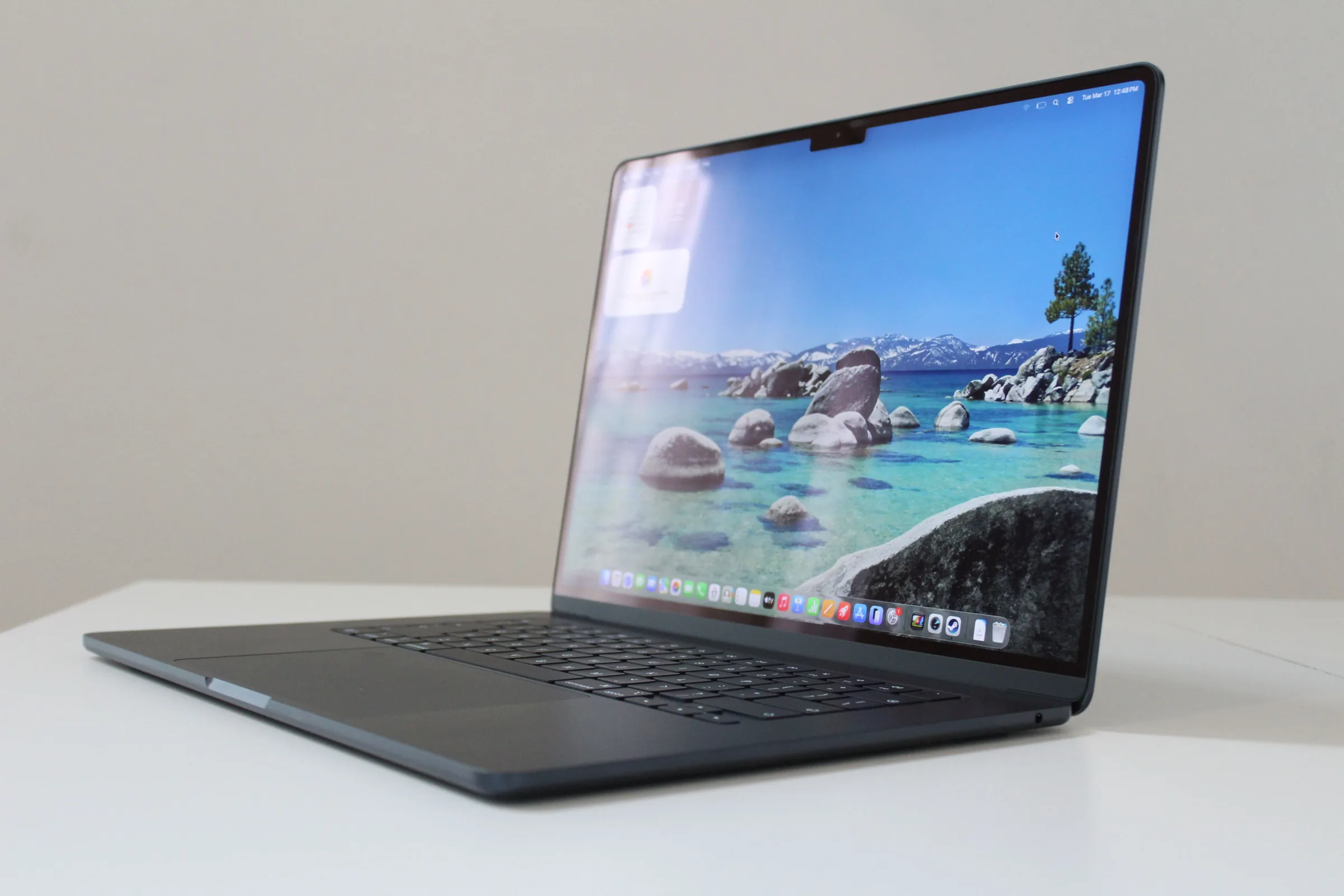
I’ve been reviewing laptops for well over a decade, sometimes testing more than 30 devices per year. They aren’t all winners, and many should be avoided, no matter how slick the marketing or cheap the discount. Good news: It’s my job to recommend laptops that fit your budget and won’t make you regret your purchase six months later.
These are my favorite laptops that I’ve tested myself and would highly recommend you buy. For more guidance, also see my recommendations in specific categories, such as the Best MacBooks, Best Gaming Laptops, Best Chromebooks, Best Budget Laptops, Best Windows Laptops, and Best 2-in-1 Laptops. My guide on How to Choose a Laptop may also help if you’re undecided.
Updated July 2026: I’ve reevaluated the laptop landscape given recent price increases, including Apple’s MacBook lineup. I’ve also included notes from my recent testing of the Dell 14S. The Laptops I Recommend Most When friends or family ask what laptop to buy, I always start with the MacBook Air.
It is far more powerful than its compact size suggests. It’s a shame about the recent $200 price increase from $1,099 to $1,299, but even at that new price, it remains my top pick because it nails the big picture. Everything from the trackpad to the speakers are of the highest quality, and it delivers all the performance and battery life the average person needs.
With the latest M5 chip, its GPU matches the M3 Pro MacBook Pro, easily handling everything from gaming to video editing. That’s not at all what the MacBook Air is designed for, but the performance is there when you want to dabble. It’s what makes it feel like a do-it-all machine, all contained in a fanless chassis that’s still one of the thinnest laptops you can buy.
Oh, and did I mention it’ll last well over a full work day away from the wall socket and perform just as well on battery as when plugged in? In almost every aspect, it’s the gold standard. While the lower price of the new MacBook Neo might be tempting, the MacBook Air is the better choice for anyone working at a computer all day.
With its superior performance, extra memory, faster storage, and Thunderbolt ports, you will never have to question if you have the right tool for the job. (And unless you already know you need a MacBook Pro, you probably don’t.) If you prefer Windows or need it for specific applications, the HP OmniBook Ultra 14 is the strongest alternative to the MacBook Air. It might just be the best laptop HP has ever made.
The device is beautifully built and incredibly sturdy, with a thin chassis (though the height of the feet makes it taller on the table next to the MacBook Air), an oversized haptic trackpad, and polished metal edges. I also appreciate the three Thunderbolt 4 ports split between both sides for convenient charging, as well as the surprisingly good speakers. I tested the high-end model, which features a fast Snapdragon X2 Elite, 32 GB of RAM, and a gorgeous 2880 x 1800 OLED display.
The screen offers near-perfect colors, excellent brightness, and astounding HDR performance. It doesn’t get much better than this. My only real complaint is that the glossy OLED screen is quite reflective and lacks an anti-glare coating.







Comentários (0)
Entre ou cadastre-se para comentar.